Creating a Culture of Documentation in Growing Companies
Creating a culture of documentation in growing companies starts with frameworks, governance and tools that scale with your team. Learn how to build one.
Last Updated: November 7, 2026
Quick Summary
Creating a culture of documentation in growing companies means turning finished tickets, emails and meeting notes into owned records rather than commissioning fresh writing. Give every page a named owner, set review cycles by risk, and start with one workflow and one owner before scaling.
- A State of Docs Report 2026 recorded 1,131 responses, more than 2.5 times the previous year's total.
- Wavestone research cited by MIT Sloan found more than 57% of companies struggle to build a data-driven culture.
- Tag each page with a risk tier: high-risk reviewed quarterly, operational twice a year, reference annually.
- Pick the ten questions staff ask most and build only those first in your knowledge base.
- Certant is built to be white-labelled and resold so partners can build AI products for clients repeatably.
Table of Contents
- Why a Documentation Culture Matters More as You Grow
- Company Documentation Best Practices That Actually Stick
- How to Build a Knowledge Base for Employees Without Creating a Graveyard
- Company Process Documentation Examples You Can Copy
- Choosing Internal Knowledge Management Tools for a Growing Team
- Ownership, Review Cycles and Content Governance
- Measuring Adoption and Business Impact
- Start With One Workflow and One Owner
- Frequently Asked Questions
Why a Documentation Culture Matters More as You Grow
A documentation culture is the shared habit of writing down how work gets done, where decisions live, and why they were made, so that knowledge stays with the company rather than with the individual who happens to hold it.
The scale of the problem is measurable. A State of Docs Report 2026 recorded 1,131 responses from the documentation industry, more than 2.5 times the previous year's total, which tells you attention is rising faster than practice is. Meanwhile, Wavestone research cited by MIT Sloan Management Review found that more than 57% of companies struggle to build a data-driven culture.
Across growing organisations, the same failure mode appears repeatedly: the knowledge exists, but it sits in inboxes, ticket threads and the memory of two long-serving staff. Here is what most guides get wrong. They treat documentation as a writing task when it is really a retention and risk problem.
Company Documentation Best Practices That Actually Stick
The best company documentation practices share one trait: they reduce the effort of contributing rather than increasing the reward for it. For distributed staff, a practical knowledge management strategy for remote teams covers governance, async habits and KPIs.

Five practices hold up in practice:
- Document the work people already do. Turn finished tickets, emails and meeting notes into records rather than commissioning fresh writing.
- Give every page an owner by name, not by department. A team never reviews anything; a person does.
- Set a review cycle tied to risk. Financial and contractual content gets checked more often than a desk-move guide.
- Write in the language staff use. Jargon that needs its own glossary is a discoverability problem waiting to happen.
- Publish where the question is asked. A policy that lives three clicks from the chatbot will not be read.
Watch out: the most common mistake is launching a documentation drive with no owner attached. Pages go stale within a quarter, staff lose trust in the wiki, and the second attempt is harder than the first.
If your concern is what walks out when people leave, AI knowledge management that captures what your people already produce is worth a look, because it removes the blank-page problem entirely.
How to Build a Knowledge Base for Employees Without Creating a Graveyard
A knowledge base for employees is a searchable, owned collection of internal answers, processes and policies, structured so staff can find the right version without asking a colleague. The graveyard problem appears when a team builds the structure but never assigns maintenance.
Three decisions determine whether yours survives:
- Scope before software. Pick the ten questions your staff ask most and build only those first.
- Structure around questions, not departments. People search for "how do I claim expenses", not "Finance: Policy Area 4".
- Instrument search from day one. If nobody searches, you have a publishing problem. If people search and fail, you have a structure problem.
For teams wrestling with a base that has outgrown its original shape, the guidance on scaling internal knowledge bases for mid-sized firms covers structure and productivity gains in more depth.
Company Process Documentation Examples You Can Copy
Good company process documentation examples follow a repeatable shape: trigger, owner, steps, decision points, and evidence of completion. Anything longer gets skipped under pressure.
Use this template for any recurring process:
Process: [name] Trigger: [what starts this] Owner: [named person] Steps: 1. [action, with system named] 2. [action] 3. [action] Decision points: [if X, do Y; if Z, escalate to named role] Evidence: [what proves it was done, and where it is stored] Review date: [date and owner]
Three examples worth copying:
- Contract intake: trigger is a signed proposal; owner is the commercial lead; decision point is any clause outside the standard set, which escalates.
- New starter access: trigger is a signed offer; owner is IT; evidence is the provisioning ticket.
- Monthly close: trigger is the calendar; owner is finance; decision points cover variances above an agreed threshold.
The pattern is the point. A process document that names no owner and no evidence is a description, not a procedure.
Choosing Internal Knowledge Management Tools for a Growing Team
Internal knowledge management tools fall into three rough categories, and the right choice depends on where your knowledge currently gets stuck. Wiki platforms suit teams that will write. Search layers suit teams with existing documents in several systems. Knowledge graph platforms suit regulated firms that need to prove where an answer came from.
| Approach | Best for | Main limitation |
|---|---|---|
| Wiki or intranet | Teams starting fresh with a writing habit | Decays without owners |
| Search layer over existing systems | Document sprawl across SharePoint and legacy platforms | Finds text, does not verify it |
| Knowledge graph platform | Regulated firms needing cited answers | Needs clean source material |
Before you compare vendors, write down four things: where the knowledge currently lives, who will own each page after launch, what a correct answer must be able to prove, and how staff will reach the tool from the place they already work. Most failed purchases skip that list and start with a demo.
A practical sequence that holds up as headcount grows:
- Audit the sprawl first. List the systems that already hold answers (shared drives, ticketing, chat, HR platform) and note which ones staff actually open. A tool that ignores the systems people use will be bypassed.
- Test search against real questions. Take the ten questions your staff ask most and run them through any candidate. If the tool cannot answer those, it will not answer the next hundred.
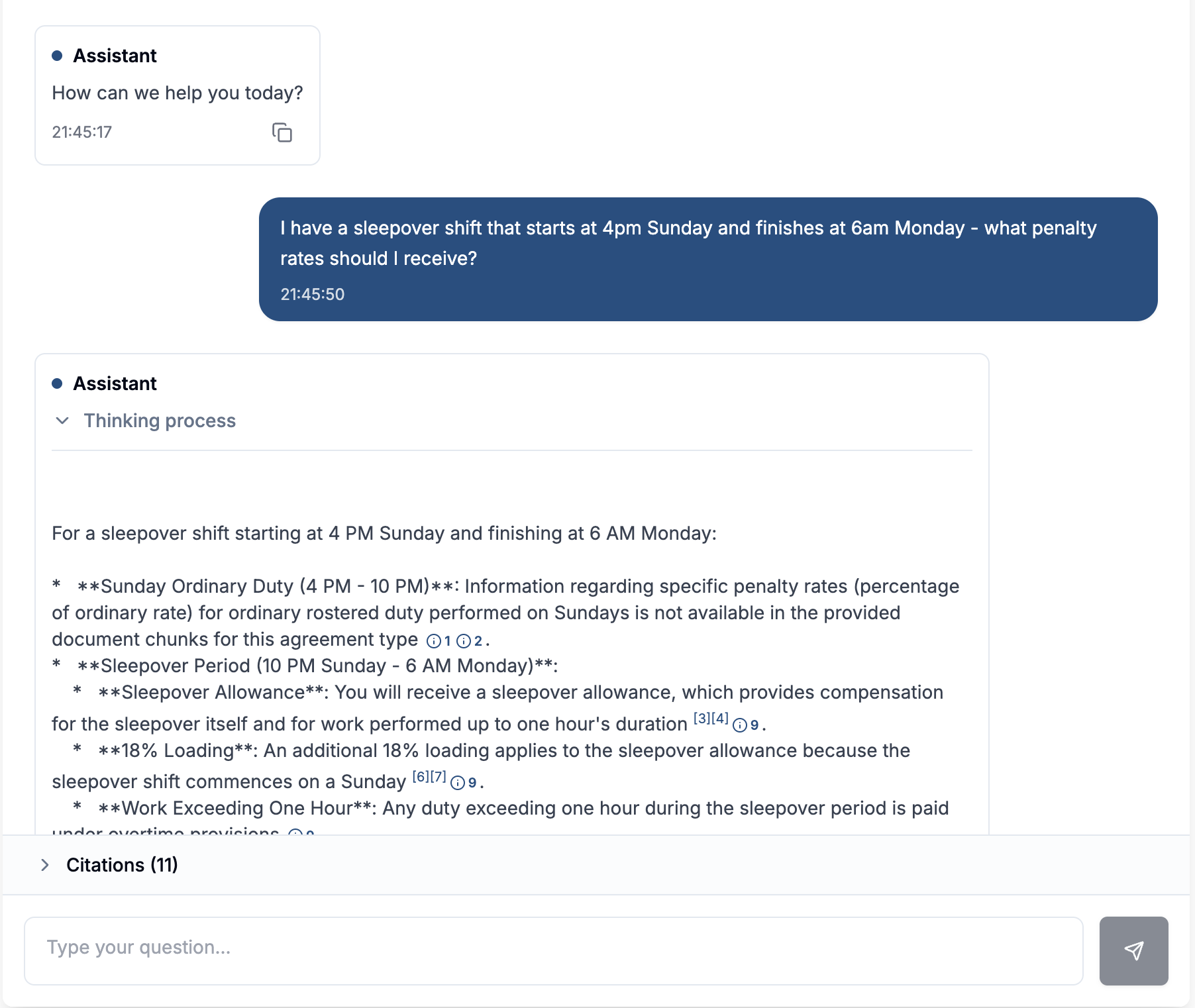
- Check the citation trail. Ask the vendor to show the exact passage behind an answer, not just the answer. Regulated sectors need that trail before an auditor asks for it.
- Confirm the deployment model. Sovereign, air-gapped and on-premise options matter if your sector or clients require them; cloud-only tools can rule themselves out early.
- Price the maintenance, not just the license. The recurring cost of a knowledge tool is the owner time spent keeping pages current. A cheap tool with no owner is more expensive than a dear one with a named maintainer.
Watch out: the most common selection mistake is buying for the demo rather than for the tenth month, when the initial content has aged and nobody has been assigned to refresh it.
Certant sits in the third category. It builds a live knowledge graph from internal documents and data, and returns answers with citations to the source paragraphs, which matters when an auditor asks how a conclusion was reached.
Agencies and integrators should note the commercial model.
Ownership, Review Cycles and Content Governance
Content governance is the set of named owners, review intervals and change records that keep documentation accurate after launch. Those mechanics become more durable when ownership, review cycles and change records are treated as part of data governance documentation, rather than as tasks to revisit only when something goes wrong.
Assign three roles and nothing more:
- Page owner: accountable for accuracy, reviews on a set cadence.
- Section owner: approves structural changes across a topic area.
- Governance lead: resolves disputes and retires content nobody uses.
Review cadence should follow consequence. A leave policy reviewed annually is fine. A delegation-of-authority matrix reviewed annually is a control failure.
Three mechanics do most of the work:
- A review date on the page, not in a spreadsheet. If the date lives only in a tracker, it will be missed the first time the tracker owner changes role. Put the date and the named owner at the foot of the page so anyone reading it can see whether it is current.
- A change record for every edit. Who changed what, when, and why. This is what lets a new joiner trust a page they did not write, and it is what an auditor will ask for when a process is challenged.
- An archive rule, not a delete rule. Retired content should move to an archive with a pointer explaining what replaced it. Deleting outright breaks links and erodes trust in search results.
Watch out: the most common governance failure is assigning ownership to a role rather than a person. "The finance team owns this" means nobody reviews it.
Corrections are where governance usually breaks. When someone fixes a definition, that fix needs to persist everywhere the term appears. Teaching Certant what your people know shows how a correction is recorded once in an append-only ledger and replayed whenever new documents arrive, across every chatbot, agent and monitor.
For agencies and integrators, governance is the part of a client deployment that determines whether the product keeps working after handover.
Measuring Adoption and Business Impact
Measure documentation the way you measure any operational system: by use, by resolution, and by time returned. Page counts and word counts tell you nothing about whether anyone is being helped.
Track four signals:
- Search-to-answer rate. What share of queries end without escalation?
- Repeat question volume. Are the same questions still reaching a human?
- Time to first answer for new starters. This is where onboarding cost shows up.
- Audit trail completeness. Can you show the passage behind an answer?
That last signal is the one regulated firms underestimate. Showing auditors where each AI answer came from covers the append-only log of questions, passages, agent steps and approvals, streamable to a SIEM.
The impact story is usually quieter than expected. One member organisation found that weekend questions used to wait until Monday morning, and the chatbot now answers them immediately.
Start With One Workflow and One Owner
The failure mode for creating a culture of documentation in growing companies is ambition.
Do this instead. Pick one workflow that hurts, name one owner, and publish one page that answers the questions that workflow generates.
Certant supports that incremental path with a no-install, low-risk implementation process, drag-and-drop AI agents that automate repetitive work, and 24/7 access to policy and record-based answers, which reduces bottlenecks by giving staff self-service policy information. The platform is IRAP-aligned, CPS 230 compliant and APP 8 compliant, which matters if your sector expects it.
Get started with Certant and turn the knowledge your people already hold into answers the whole company can reach.
Most growing companies do not have a documentation problem. They have a knowledge problem that documentation would solve.
Frequently Asked Questions
How do you create a culture of documentation in a growing company?
Start with one workflow that causes the most repeated questions, give it a named owner, and write it down in plain language. Then make the answer easier to find than asking a colleague. The 2026 State of Docs survey drew 1,131 respondents, more than 2.5 times the previous year, which suggests documentation is getting more attention. Treat it as a habit you reinforce weekly, not a one-off project.
What should a company document as it grows?
Prioritise anything a new starter would ask in their first month: onboarding steps, leave and expenses policies, approval limits, and the processes that cross departments. Add the decisions people keep re-litigating, with the reasoning attached. Skip anything that changes weekly or that only one person needs. A documentation culture works when the library is small and trusted, not when it is exhaustive and stale.
How can teams encourage employees to keep documentation up to date?
Make updating the document part of finishing the task, not a separate chore. Assign an owner to every page, put a review date on it, and let people flag anything out of date in one click. Recognise the people who fix gaps. Where a knowledge base answers questions with citations to the source paragraph, as Certant does, the sources remain visible to anyone checking an answer.
What are the benefits of process documentation for growing companies?
Consistency and speed. When a process is written down, two people handle the same task the same way, and new hires stop interrupting senior staff for answers. It also protects institutional knowledge when someone leaves. One Certant customer described worrying about losing twenty years of know-how when a finance director retired; his decisions and reasoning were captured in the knowledge base, so the team could still ask how he handled a case.
How do you measure whether a documentation culture is working?
Track how often people search the knowledge base instead of asking a colleague, how many questions it answers without escalation, and how quickly a new starter becomes productive. Review dates missed per quarter are a useful health check. One Certant customer reported taking about half as many renewal calls after putting a chatbot on the renewals page. Pick two or three measures and watch them over a quarter.
Which tools help teams organise company knowledge?
Look for a connected workspace that searches across your existing systems rather than adding another silo. Internal knowledge management tools should support permissions, version control and citations back to the source. Certant builds a live knowledge graph from internal documents and data, answers with references to the source paragraph, and supports on-premise or air-gapped deployment for regulated teams. Current pricing is available on the Certant pricing page.