How to Build Chatbots Easily: A 2026 Guide
Learn how to build chatbots easily in 2026. From no-code platforms to training on your own data, this guide covers tools, steps and real business examples.
Table of Contents
- Why Easy Chatbot Builders Have Changed the Game
- Choosing a No-Code Chatbot Builder
- How to Build a Chatbot With Your Own Data
- Testing and Launching Without the Guesswork
- Chatbot Examples for Business That Actually Work
- The White-Label AI Chatbot Platform Opportunity
- Common Mistakes When You Build Chatbots Easily
- Conclusion
- Frequently Asked Questions
Last Updated: October 18, 2026
Why Easy Chatbot Builders Have Changed the Game
To build chatbots used to mean months of engineering work. Now a no-code chatbot builder can take a working assistant from idea to live in days. That shift matters most for regulated industries, where the old choice was between slow custom builds and nothing at all.
The change is not really about drag-and-drop screens. It is about where the answers come from.
Early bots matched keywords to canned replies. Ask something slightly different and they fell apart. Modern platforms read your own documents and answer from them, with a citation back to the source paragraph. At Certant, our platform is built around the idea that ungrounded AI is a liability in any firm that gets audited.
So the honest version of "easy" is this: the interface is simple, but the value comes from the knowledge underneath it. Get that part right and everything else follows.
Choosing a No-Code Chatbot Builder
Pick a builder by what it can answer from, not by how pretty the flow editor looks. A tool that only handles hand-typed FAQs will hit a wall the first time a customer asks something you did not anticipate.
Start with three questions:
- Where does the bot get its answers, and can it cite them?
- Can it read your existing documents without a big migration project?
- Where does it run, and does that satisfy your compliance team?
If the answers are vague, keep looking.
What to Look For Beyond the Drag-and-Drop Interface
The interface is the easy part to judge, which is why most buyers overweight it. The harder questions sit underneath.
Verifiable answers top the list. A bot that says "I don't know, here is the closest source" beats one that invents a confident reply. Look for citation to source paragraphs, not just a link to a whole document.
Deployment options matter if you handle sensitive data. Some platforms run air-gapped, on-premises, or inside your own cloud tenancy. Others insist on their servers. Know which you need before you shortlist.
Data connectors decide how much work setup really takes. A builder that reads SharePoint, case systems, and shared drives without a rebuild saves weeks.
How to Build a Chatbot With Your Own Data
Building a chatbot with your own data means connecting the bot to your documents, systems, and knowledge bases so it answers from them directly. The work is mostly in the connections, not the conversation design.
A simple sequence works for most teams:
- List the sources that hold the real answers (policies, contracts, manuals, records).
- Connect each source to the platform, keeping permissions intact.
- Let the platform build a knowledge graph that links related content.
- Test with real questions your staff or customers actually ask.
- Publish, then review the questions the bot could not answer.
The knowledge graph step is where good platforms separate from basic ones. A knowledge graph understands that a leave policy, a payroll record, and a contract clause can all be relevant to one question.
Connecting Documents, Systems and Knowledge Bases
Scattered data is the norm, not the exception. Most firms have documents in three or more places, plus a filing cabinet nobody wants to open.
The practical approach is to connect sources rather than copy them. Copying creates a second version of the truth that drifts within weeks. Connecting keeps one source authoritative and lets the bot cite it. Maintaining this single source of truth relies on the precision of your instructions, as writing consistent prompts ensures the bot interprets your data with the same reliability every time.
Watch for permission handling here. A bot that ignores access controls can leak a document to someone who should never see it. Check that the platform respects your existing permissions before you connect anything sensitive.
Testing and Launching Without the Guesswork
Test with the questions people actually ask, not the ones you wish they asked. Pull a week of real emails, support tickets, or phone notes and run them through the bot.
See how Certant.ai can help you build AI solutions for your business or your clients →
Build a test set of around fifty questions and score each answer on two things: is it correct, and does it cite the right source? Anything that fails both goes back to the data, not the chat window.
Then launch in a controlled way:
- Start with one team or one page.
- Watch the questions the bot refuses or gets wrong.
- Fix the source, not the wording.
- Expand once the miss rate settles.
Chatbot Examples for Business That Actually Work

The best chatbot examples for business solve a narrow, repetitive problem completely. Broad assistants impress in demos and frustrate in practice.
Here is what works in the field:
- Member organisations answering renewal and policy questions on the renewals page, cutting phone volume.
- HR teams handling leave and expenses questions for new starters.
- Finance teams flagging invoices that breach delegation limits before payment.
- Research teams pulling one answer from a whole library, with each paper cited.
- Small firms replacing a stale intranet with a knowledge base and a bot.
One association noted their members used to save weekend questions for Monday and ring in. The chatbot answers them straight away now, so Monday mornings are quieter. That is the pattern: pick the question people repeat most, and answer it well.
The White-Label AI Chatbot Platform Opportunity
A white-label AI chatbot platform lets agencies and integrators deliver AI products under their own brand, keeping implementation and support revenue. Instead of building from scratch for every client, they resell a proven platform and focus on the work clients pay for.
That model changes the economics. A repeatable build means the second client costs far less to onboard than the first. Partners keep the client relationship, the support contract, and the integration work.
Certant is designed for exactly this. The Whitelabel AI Platform lets partners put their own brand on the platform, run it on their own infrastructure where needed, and keep the revenue from setup and ongoing support. The platform handles the knowledge graph and citations; the partner handles the client.
Common Mistakes When You Build Chatbots Easily
The tools are easy. The mistakes are still easy to make.
- Connecting everything at once. Start with the sources that answer your top questions, then expand.
- Skipping citations. An answer without a source is a rumour. Insist on citations from day one.
- Testing on happy paths only. Real users ask messy questions. Test with those.
- Ignoring permissions. A bot must respect who can see what.
- Treating launch as the finish line. The first month of real questions is where the bot improves.
The biggest one is expecting the bot to know things you never gave it. It answers from your data. If the data is thin, the answers will be too.
Conclusion
The hard part of building chatbots easily is not the build. It is trusting the answers enough to put them in front of a customer or an auditor. That trust comes from grounding, citations, and a platform that respects your data and your rules.
Certant builds a live knowledge graph from your own documents, gives verifiable answers with citations to source paragraphs, and runs on-premises or air-gapped where compliance demands it. Partners can white-label the whole thing and keep the support revenue.
Start free and see what your own documents can answer.
Frequently Asked Questions
Can you build a chatbot without coding?
Yes. No-code chatbot builders handle the interface, the conversation flow and the connection to your documents through drag-and-drop tools. The work shifts from writing code to preparing your source material: policies, contracts, FAQs and records. That preparation is where most of the effort goes, and it is also where the quality comes from. A no-code platform will only answer well if the documents behind it are accurate and current, so budget time for cleaning up source files before launch.
How do you train a chatbot on your own documents?
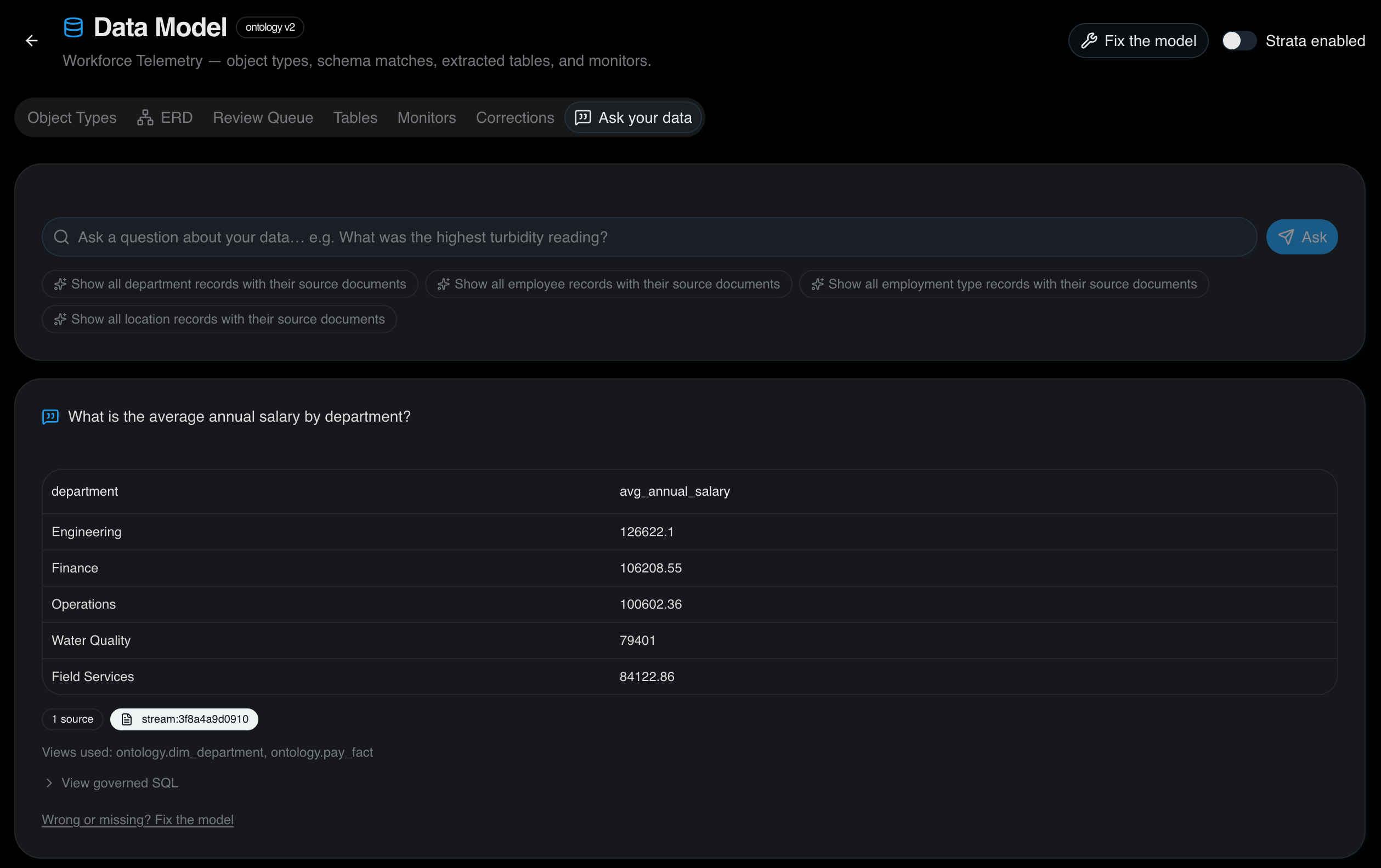
You point the platform at your documents and let it index them into a searchable knowledge base. The stronger tools build a knowledge graph rather than a flat text index, which lets the chatbot follow relationships between policies, people and records. Certant, for example, builds a live knowledge graph from internal documents and answers with citations to the source paragraph. That citation matters in regulated settings, because staff and auditors can check the answer against the original page rather than trusting the bot.
What is the difference between a rule-based chatbot and an AI chatbot?
A rule-based chatbot follows scripts you write by hand. It answers only what someone anticipated, and it breaks when a user phrases a question differently. An AI chatbot reads your source material and generates an answer at the moment of asking, so it handles questions nobody wrote a script for. The trade-off is that AI chatbots need grounded source data to stay accurate. A rule-based bot is cheaper to reason about but expensive to maintain, because every new question means another script.
Can agencies build and resell chatbots for clients?
Yes, and it is becoming a practical revenue line. A white-label AI chatbot platform lets an agency deploy the product under its own branding, keep implementation and support work in-house, and retain the ongoing client relationship. Certant is built for this model: partners keep implementation, support and integration revenue rather than handing the client to a vendor. That suits integrators who already manage a client's systems and want to add AI without building the underlying platform themselves.
See how Certant.ai can help you build AI solutions for your business or your clients →
Frequently asked questions
Can you build a chatbot without coding?
Yes. No-code chatbot builders handle the interface, the conversation flow and the connection to your documents through drag-and-drop tools. The work shifts from writing code to preparing your source material: policies, contracts, FAQs and records. That preparation is where most of the effort goes, and it is also where the quality comes from. A no-code platform will only answer well if the documents behind it are accurate and current, so budget time for cleaning up source files before launch.
How do you train a chatbot on your own documents?
You point the platform at your documents and let it index them into a searchable knowledge base. The stronger tools build a knowledge graph rather than a flat text index, which lets the chatbot follow relationships between policies, people and records. Certant, for example, builds a live knowledge graph from internal documents and answers with citations to the source paragraph. That citation matters in regulated settings, because staff and auditors can check the answer against the original page rather than trusting the bot.
What is the difference between a rule-based chatbot and an AI chatbot?
A rule-based chatbot follows scripts you write by hand. It answers only what someone anticipated, and it breaks when a user phrases a question differently. An AI chatbot reads your source material and generates an answer at the moment of asking, so it handles questions nobody wrote a script for. The trade-off is that AI chatbots need grounded source data to stay accurate. A rule-based bot is cheaper to reason about but expensive to maintain, because every new question means another script.
Can agencies build and resell chatbots for clients?
Yes, and it is becoming a practical revenue line. A white-label AI chatbot platform lets an agency deploy the product under its own branding, keep implementation and support work in-house, and retain the ongoing client relationship. Certant is built for this model: partners keep implementation, support and integration revenue rather than handing the client to a vendor. That suits integrators who already manage a client's systems and want to add AI without building the underlying platform themselves.