Unified Knowledge Base for HR Policies: 2026 Guide
Build a unified knowledge base for HR policies that gives staff instant, verifiable answers.
Table of Contents
- Why a Unified Knowledge Base for HR Policies Beats a Shared Drive
- What You'll Need Before You Start
- Step 1: Audit and Consolidate Your Policy Documents
- Step 2: Structure Content With HR Policy Templates
- Step 3: Choose HR Knowledge Base Software That Cites Its Sources
- Step 4: Apply HR Knowledge Base Best Practices for Access and Accuracy
- HR Knowledge Base Examples That Show What Good Looks Like
- Common Challenges and How to Solve Them
- Frequently Asked Questions
Last Updated: October 17, 2026
Why a Unified Knowledge Base for HR Policies Beats a Shared Drive
A shared drive stores files. A unified knowledge base for HR policies answers questions. That difference sounds small until you watch a new starter spend forty minutes hunting for the parental leave policy and give up.
HR teams often drown in repeat questions. Staff cannot find what they need. Everyone loses time.
Here is the core problem with a shared drive: it has no memory of what is current. Three versions of the same policy sit side by side, and nobody knows which one the auditor wants. A unified knowledge base fixes that by keeping one source of truth and showing the paragraph each answer came from.
Below, we walk through the full process, from audit to launch. The steps are practical and the whole thing can start small.
What You'll Need Before You Start
You need three things before touching any software: a list of every place policy documents currently live, one named owner for the project, and agreement on who approves final wording.
Skip any of these and the project stalls. We have seen it happen.
- A document inventory. SharePoint, the intranet, shared drives, email folders, a filing cabinet. Write down every location.
- A project owner. One person, not a committee. Usually an HR manager or knowledge manager.
- An approval path. Someone must sign off on policy wording before it goes live.
- A pilot group. Pick one department or one policy area to test with first.
Total time: roughly two to four weeks for the audit and setup, depending on how many documents you have.
Step 1: Audit and Consolidate Your Policy Documents
Start by finding every version of every policy. The goal is a single list showing what exists, where it lives, and whether it is current.

Work through it like this:
- Collect every document from every location on your inventory.
- Mark each one as current, superseded, or duplicate.
- Note the owner and last review date for each current policy.
- Archive the rest. Do not delete them, just move them out of the way.
A common mistake is skipping the archive step. Old versions left in circulation are the fastest route to wrong answers.
Step 2: Structure Content With HR Policy Templates
Good HR policy templates do one job: make every document answerable. Same headings, same order, same level of detail across the whole set.
Use a consistent structure for each policy:
- Purpose: one sentence on why the policy exists
- Scope: who it applies to
- The rule itself: clear statements, no legal padding
- Process: what an employee actually does, step by step
- Owner and review date: who maintains it
This structure matters more than it looks. When every policy follows the same shape, a search tool can pull the right paragraph instead of guessing. It also makes review cycles faster, because reviewers know where to look. Standardising these internal documents creates a scalable foundation that remains equally effective when integrating outsourced HR solutions into your existing operational framework.
Rewrite jargon as you go. "Employees shall be entitled to request" becomes "you can ask for". Plain wording helps staff and helps the system.
Step 3: Choose HR Knowledge Base Software That Cites Its Sources
Pick software that shows where every answer came from. If a tool cannot point to the paragraph behind its response, it is not ready for HR use.
This is where most buying decisions go wrong. Teams compare feature lists and ignore the one thing that matters: traceability. An answer without a source is a rumour with good formatting.
What to check before you commit:
- Source citations. Every answer links back to the exact policy paragraph.
- Version control. Superseded documents cannot surface in answers.
- Access controls. Staff see only the policies relevant to them.
- Deployment options. For regulated sectors, on-premise or air-gapped hosting may be a requirement.
- Update handling. When a policy changes, the answer changes with it.
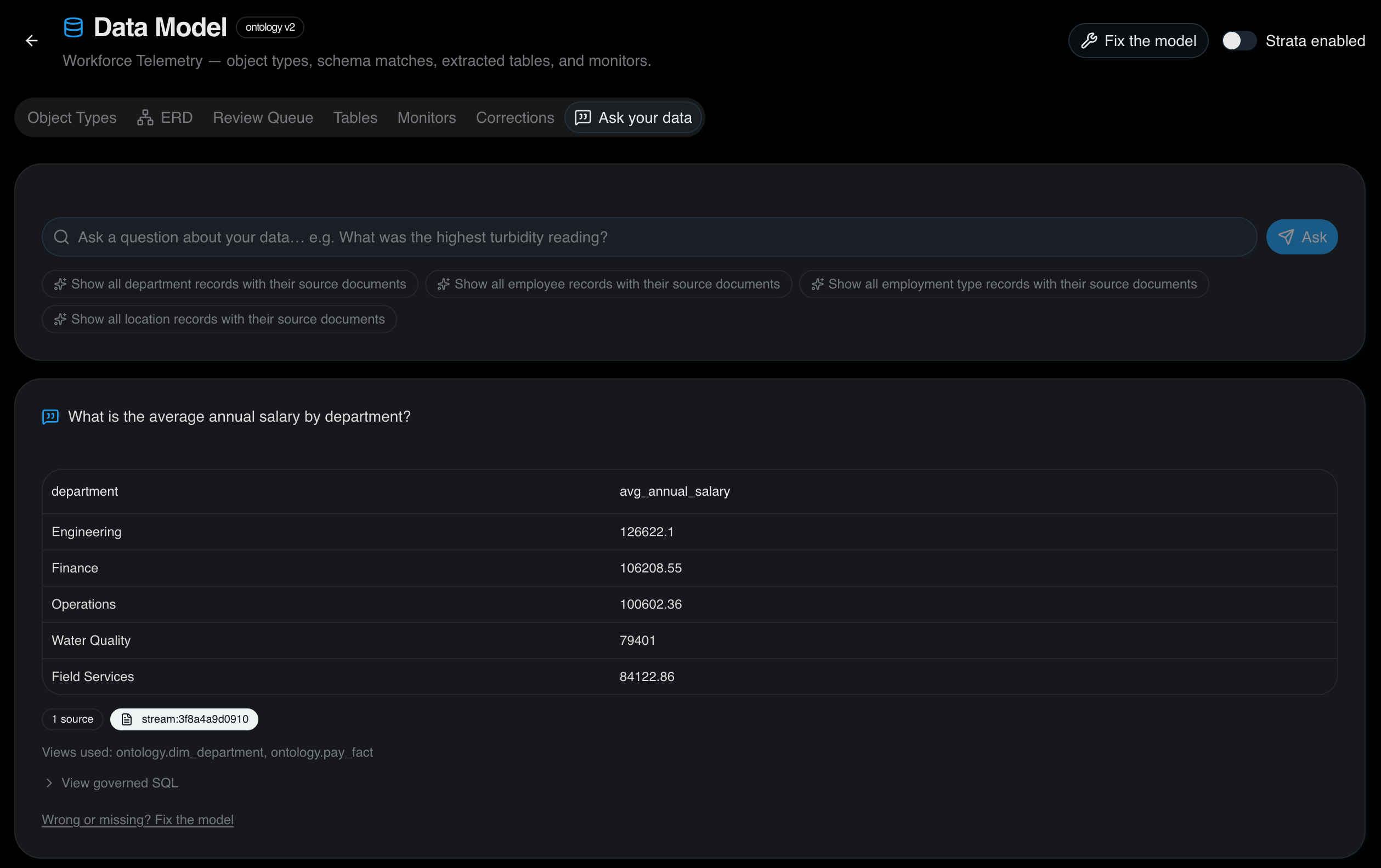
Certant builds a live knowledge graph from your documents and returns answers with citations to the source paragraph. It supports sovereign and on-premise deployments, which matters for government and financial services teams. Agencies and integrators can also white-label the platform and resell it to their own clients, retaining implementation and support revenue.
Pricing depends on scope and deployment, so check the Certant pricing page for current details.
Step 4: Apply HR Knowledge Base Best Practices for Access and Accuracy
Accuracy is not a launch task. It is a maintenance habit. The best HR knowledge base best practices all come back to one idea: someone must own the truth.
See how Certant.ai can help you build AI solutions for your business or your clients →
Put these in place from day one:
- Name a policy owner for each document. They review it on a set cycle, usually annually or when law changes.
- Set review reminders. A policy past its review date should be flagged, not silently trusted.
- Log every question the system cannot answer. Those gaps are your content roadmap.
- Test with real questions monthly. Ask what staff actually ask.
- Restrict by role where needed. Not everyone needs the executive remuneration policy.
The goal is self-service without loss of control. HR gets fewer repeat questions, and staff get answers at any hour.
HR Knowledge Base Examples That Show What Good Looks Like
The clearest HR knowledge base examples come from teams that replaced manual answering with sourced self-service. The pattern repeats across sectors.
At one membership organisation, staff used to save their weekend questions for Monday and ring us. The chatbot answers them straight away now, so Monday mornings are much quieter.
HR was answering the same leave and expenses questions for every new starter. The bot handles those now, and HR has that time back.
Our FAQ widget couldn't answer anything we hadn't typed in by hand. The chatbot answers from thirty years of policy documents, so we've stopped maintaining the FAQ.
What these have in common: a single source, cited answers, and staff who stopped emailing HR for things they could find themselves.
| Problem | Fix | What Changes |
|---|---|---|
| Same questions every week | Sourced self-service answers | HR time returns to higher-value work |
| Old policy versions in circulation | Archive plus version control | Answers always reflect current policy |
| Staff cannot find documents | Search across one knowledge base | Fewer emails, faster onboarding |
| No audit trail for answers | Citations to source paragraphs | Auditors can trace every response |
Common Challenges and How to Solve Them
Most problems in this work are predictable. Here is what tends to go wrong, and what to do about it.
Documents scattered across systems. Consolidation is the whole job. Inventory first, then migrate.
Fear of wrong answers. Citations solve this. When every answer shows its source, staff can check it in seconds and auditors can follow the trail.
Thin IT capacity. Choose a no-install, low-risk implementation. Your existing team can manage it without specialist staff.
Budget pressure. Start with one policy area or one department. Prove the value, then expand. A free trial removes most of the risk from the first step.
Losing institutional knowledge. We were worried about losing twenty years of know-how when our finance director retired. His decisions and his reasons are in the knowledge base, so we can still ask how he handled something.
The challenge is not finding software. It is getting every policy into one place, in one shape, with a clear owner. That work is unglamorous and it is the whole game.
Certant is built for exactly this: a live knowledge graph from your documents, answers with citations to the source paragraph, and sovereign or on-premise deployment where regulation demands it. Agencies and integrators can white-label the platform and build repeatable AI products for their own clients.
Start free with Certant and give your staff sourced answers without the wait.
Frequently Asked Questions
What is a unified knowledge base for HR policies?
It is a single, searchable store of every HR policy, procedure and template your organisation uses, built so staff and managers can ask a question and get an answer with the source paragraph attached. Unlike a shared drive, it does not rely on people knowing which folder to open. A unified knowledge base links related documents together, so a question about parental leave pulls in the policy, the form and the pay rules in one response.
What is the difference between an HR knowledge base and an HR portal?
A portal is a front door: a page of links, news and forms that staff click through. A knowledge base is the content and the retrieval layer behind it. Portals go stale because someone has to keep the navigation tidy, and staff still end up hunting. A knowledge base answers the question directly and cites the policy it came from. Many organisations keep a thin portal for announcements and let the knowledge base handle policy questions.
How can AI help employees find answers in HR policies?
A chatbot grounded in your policy documents lets an employee ask in plain language, including in their own language, and returns the relevant clause with a citation. That matters in regulated settings: the answer is traceable, not generated from thin air. Certant builds a live knowledge graph from your documents and returns verifiable answers with the source paragraph, so HR was answering the same leave and expenses questions for every new starter. The bot handles those now, and HR has that time back.
How do you keep HR policies accurate and up to date?
Set an owner and a review date for each policy, and retire superseded versions rather than leaving them in the same folder. Version control matters more than most teams expect: if two copies of a policy exist, staff will find the wrong one. Run a quarterly check that every published policy has a named owner and a date, and remove anything that has been replaced. A knowledge base that cites sources makes stale content visible, because the citation points to the old document.
See how Certant.ai can help you build AI solutions for your business or your clients →
Frequently asked questions
What is a unified knowledge base for HR policies?
It is a single, searchable store of every HR policy, procedure and template your organisation uses, built so staff and managers can ask a question and get an answer with the source paragraph attached. Unlike a shared drive, it does not rely on people knowing which folder to open. A unified knowledge base links related documents together, so a question about parental leave pulls in the policy, the form and the pay rules in one response.
What is the difference between an HR knowledge base and an HR portal?
A portal is a front door: a page of links, news and forms that staff click through. A knowledge base is the content and the retrieval layer behind it. Portals go stale because someone has to keep the navigation tidy, and staff still end up hunting. A knowledge base answers the question directly and cites the policy it came from. Many organisations keep a thin portal for announcements and let the knowledge base handle policy questions.
How can AI help employees find answers in HR policies?
A chatbot grounded in your policy documents lets an employee ask in plain language, including in their own language, and returns the relevant clause with a citation. That matters in regulated settings: the answer is traceable, not generated from thin air. Certant builds a live knowledge graph from your documents and returns verifiable answers with the source paragraph, so HR was answering the same leave and expenses questions for every new starter. The bot handles those now, and HR has that time back.
How do you keep HR policies accurate and up to date?
Set an owner and a review date for each policy, and retire superseded versions rather than leaving them in the same folder. Version control matters more than most teams expect: if two copies of a policy exist, staff will find the wrong one. Run a quarterly check that every published policy has a named owner and a date, and remove anything that has been replaced. A knowledge base that cites sources makes stale content visible, because the citation points to the old document.