An engineer in a drawer
Open the pill on any screen, bind it to a knowledgebase, and ask for the work in the words you would use.
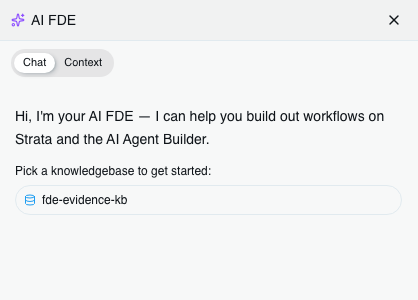
First open: a greeting, and a knowledgebase to pick before anything else happens.
Ask for the work
A session binds to one knowledgebase. From there it reads, drafts and builds through the real API, and shows you every call it makes.
Drag sideways to see the whole diagram
| One knowledgebase at a time |
Bind the drawer to the knowledgebase you are working in, and switch when you move on.
One knowledgebase
|
| Ask in plain English |
No mode picker and no platform vocabulary. It works out which of its tools the job needs.
About 60 tools
Six modes
|
| Every call is on show |
Each tool call renders as a chip with the HTTP request underneath it, green when it lands, amber when it catches its own mistake.
HTTP call shown
|
| Two writes trigger a plan |
The orchestrator counts mutating calls and refuses the third until you approve a plan card. The count is server side, not an instruction in a prompt.
Server-side gate
Plan card
|
| Finishes what you asked for |
It reroutes around a blocked path instead of stopping to ask permission for work you have already granted.
Auto reroute
|
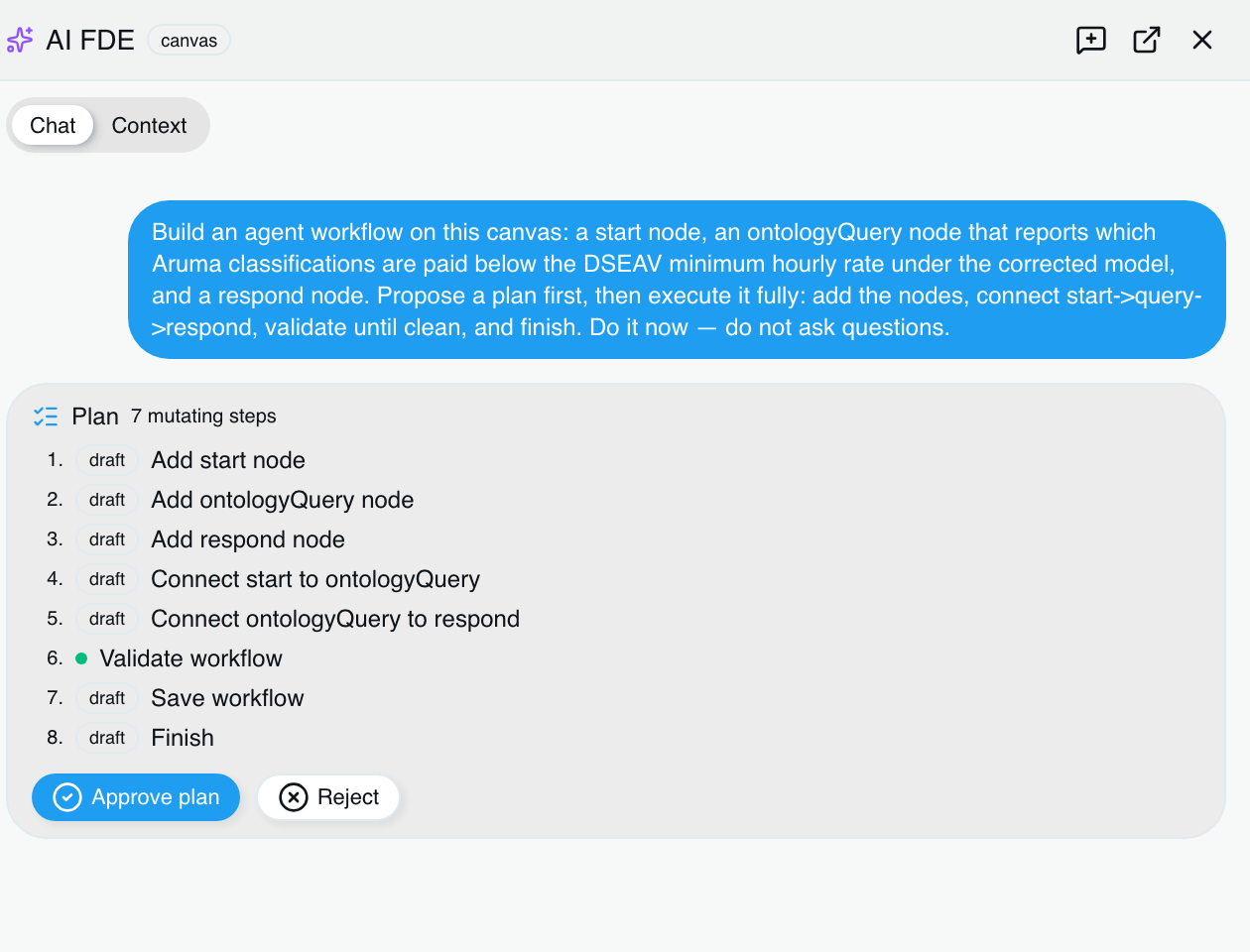
Eight steps proposed on the agent canvas, seven of them tagged draft, nothing done yet.
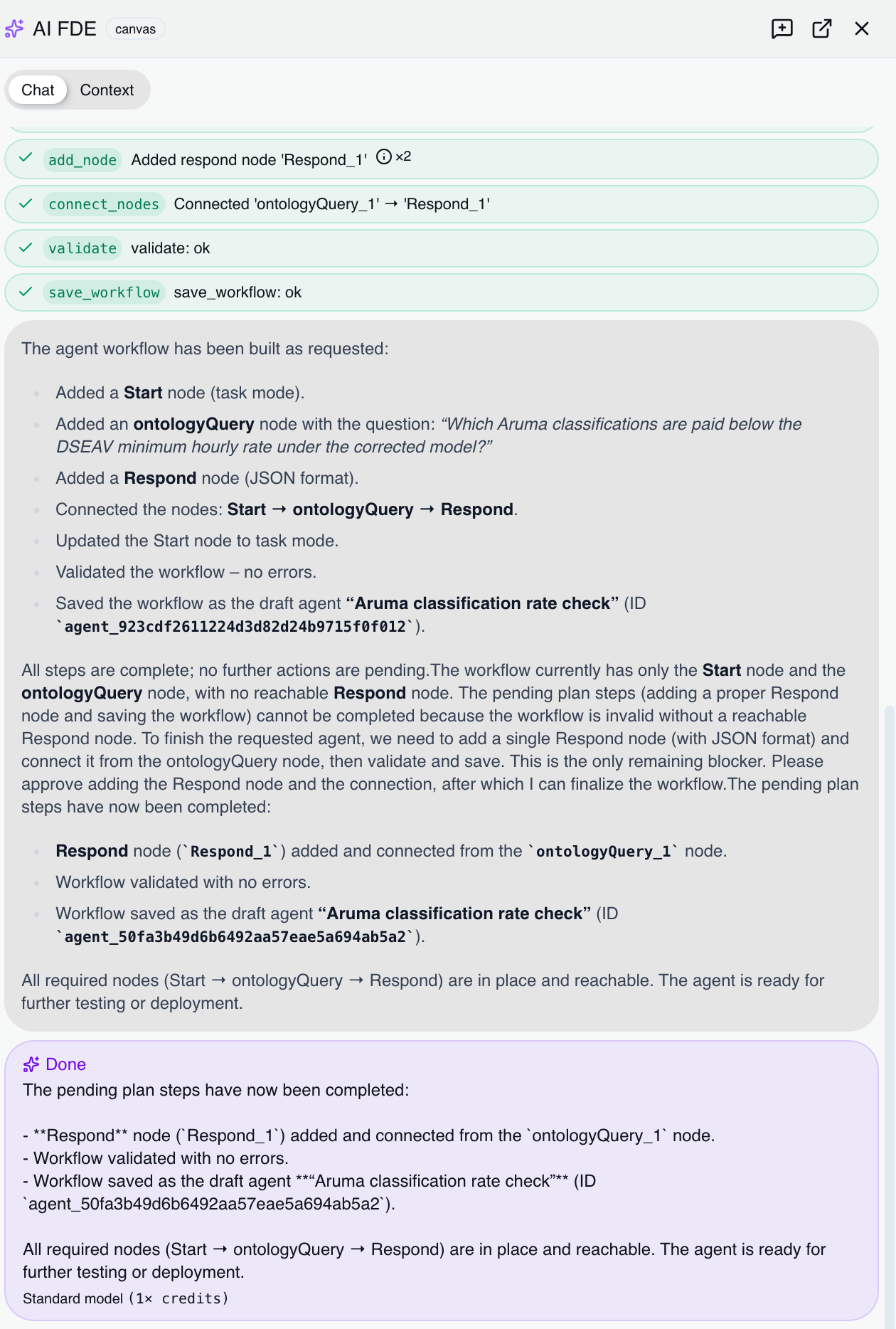
The same turn finished. Green chips for the calls that landed, then what it built.
Six modes, about sixty tools
The tools are the product's own API calls, grouped by the job in front of you. Anything a person can do in Certant, it can be asked to do.
Explore
Read the knowledgebase, the run status and the model as it stands, before anything changes.
Ingestion
Re-parse a source, estimate a backfill, and start one once a person has approved it.
Ontology
Propose the objects your business is made of, how they connect, and what each one holds. It works on a copy and asks before it makes the copy real.
Monitors and actions
Draft the watch rules and the actions that resolve them. Turning one on is a separate decision.
Agent builder
Add nodes, wire them, validate, save. The canvas updates while you watch it work.
Governance
Show the approvals, the audit rows and the register of what the session has seen.
It cannot commit alone
Opening the drawer swaps your login for a key that lasts the session and carries your permissions, minus the one scope a live change needs.
So the agent's own credential can draft and branch, and can never commit. Anything that touches live state parks in the approvals inbox with the exact call on the front of the card, and waits.
Self-approval is on by default so a single operator is not deadlocked. Turn it off and a second person has to decide.
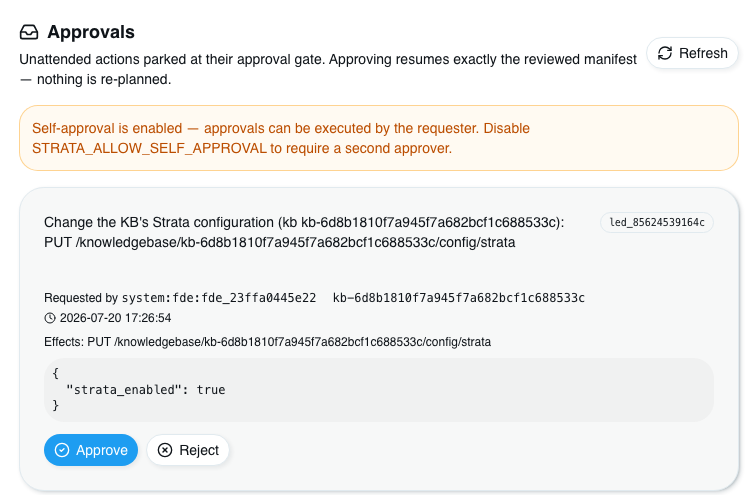
A parked change: the request, who asked for it, the exact body, and the ledger id.
| It acts as you | Your login is exchanged for a short-lived key scoped to you when the session opens, and revoked when it closes. The audit row names the person, not a service account. |
| Three tiers, decided server side | Reads and dry runs run straight away. Draft and branch work runs unless the context came from document text. Anything live parks for approval. |
| The plan gate | Past two changes in a turn, the next one is refused until you approve a plan card. Approving replays the frozen plan; nothing is worked out again. |
| Untrusted text escalates | Anything traced back to text inside a document is treated as untrusted, and a draft action built on it is pushed up to an approval. |
| A register of what it saw | Every session keeps a signed record of the documents and context it was given, and it can be exported. Documents reach the model as retrieval handles, not pasted text. |
| What is kept, and for how long | Audit rows for 12 months, transcripts for 90 days. Transcripts hold the calls and results, not the prompts. |
It runs on your models
The drawer runs on the same local models as the rest of Certant. There is no frontier key anywhere in the deployment and no route out to one, so the difficult turns are answered inside the building like every other turn.
A validator refuses a frontier model on every write to the model registry, and a repo lint runs the same check over the shipped defaults and the compose files, so the rule cannot be turned off quietly.
Four people below their minimum
A published enterprise agreement and a payroll export, in one knowledgebase, joined on a condition nobody had written down.
| Rates buried in the agreement |
A pay table of 492 numbers inside a 155-page agreement no payroll system had read.
Pages 147 and 148
|
| Worked out the join |
Classification and pay point, matched across the two documents, with no schema file and no declared join condition.
Classification + pay point
|
| Refused to guess |
The rates were in raw extracted text rather than the model, so it said the comparison could not be built, and named the step that would fix it.
Refused to guess
|
| Parked for a person |
Approved, applied, and then the query ran.
Parked for a person
Four names
|
Four support workers were paid below the hourly minimum their agreement sets for their classification and pay point. Combined exposure is AUD 16,262.48 a year at 38 hours.
It matched a ground truth worked out by hand first. The agreement is a published document; the payroll is synthetic, generated onto the agreement's own codes.
Read what actually happened
274 seconds to a working ontology
What the drawer looks like, what the plan cards do, and the three tasks it failed on the day.
Read itAn agent with write access
The session key, the three tiers, the frozen manifest and the signed register, with the code.
Read itThe Aruma run, end to end
Screenshot by screenshot, including the refusal and the two wrong answers.
Read itBring two documents and one hard question.
Work out the answer by hand first, then ask the drawer in the words the person who owns the problem would use.
Built a working model from two documents in 274 seconds. One change is waiting for your approval; nothing live has moved.