Get Pricing for Automated Workflow Tools: 2026 Review
Compare automated workflow tool pricing, uncover hidden costs, and calculate ROI before you buy. Get pricing for automated workflow tools with confidence.
Table of Contents
- Automated Workflow Tool Pricing at a Glance
- Workflow Automation Pricing Models Explained
- Certant: Verifiable Automation for Regulated Workflows
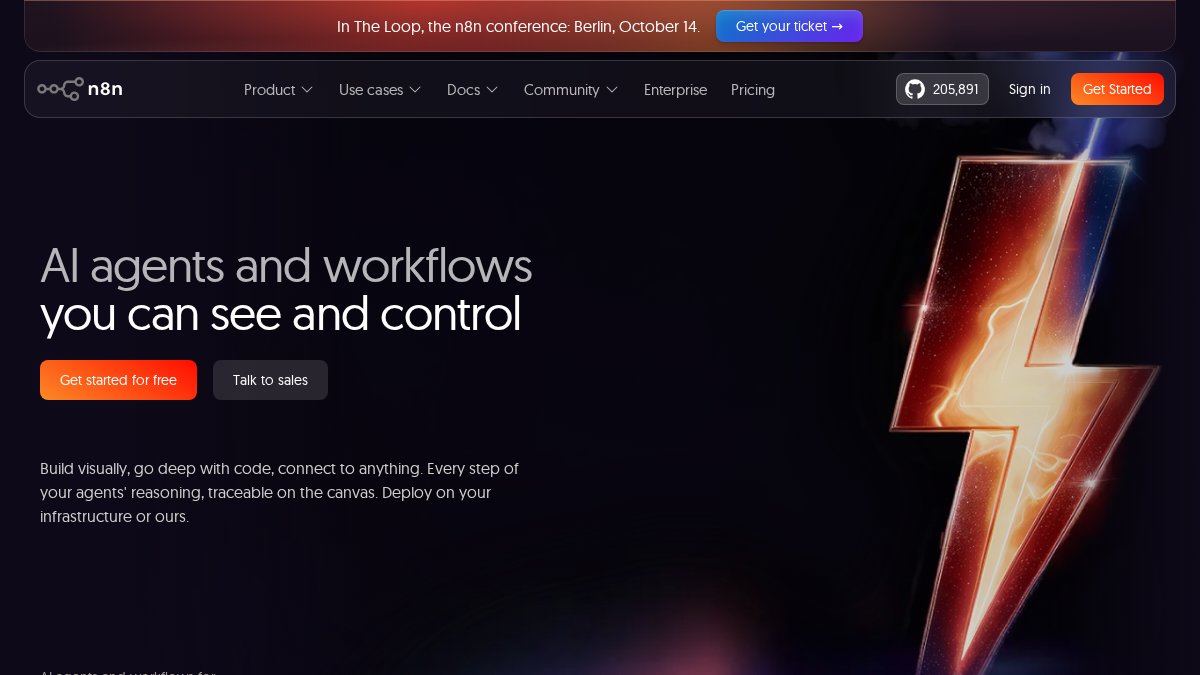
- n8n: Developer-Led Automation with Predictable Costs
- Make: Visual Automation for Mixed SaaS Stacks
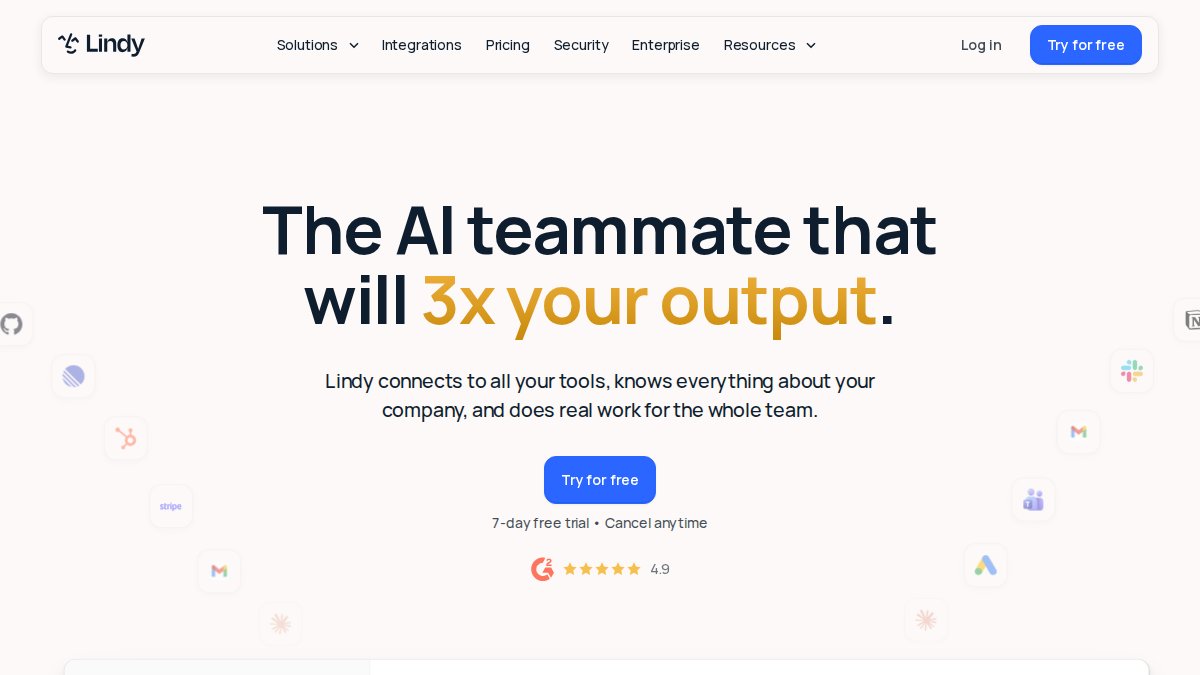
- Lindy and Gumloop: AI Agents and Document-Heavy Workflows
- The Hidden Costs of Automation Software
- How to Calculate Enterprise Workflow Automation ROI
- Which Tool Should You Get Pricing For?
- Conclusion
- Frequently Asked Questions
Last Updated: September 26, 2026
Automated Workflow Tool Pricing at a Glance
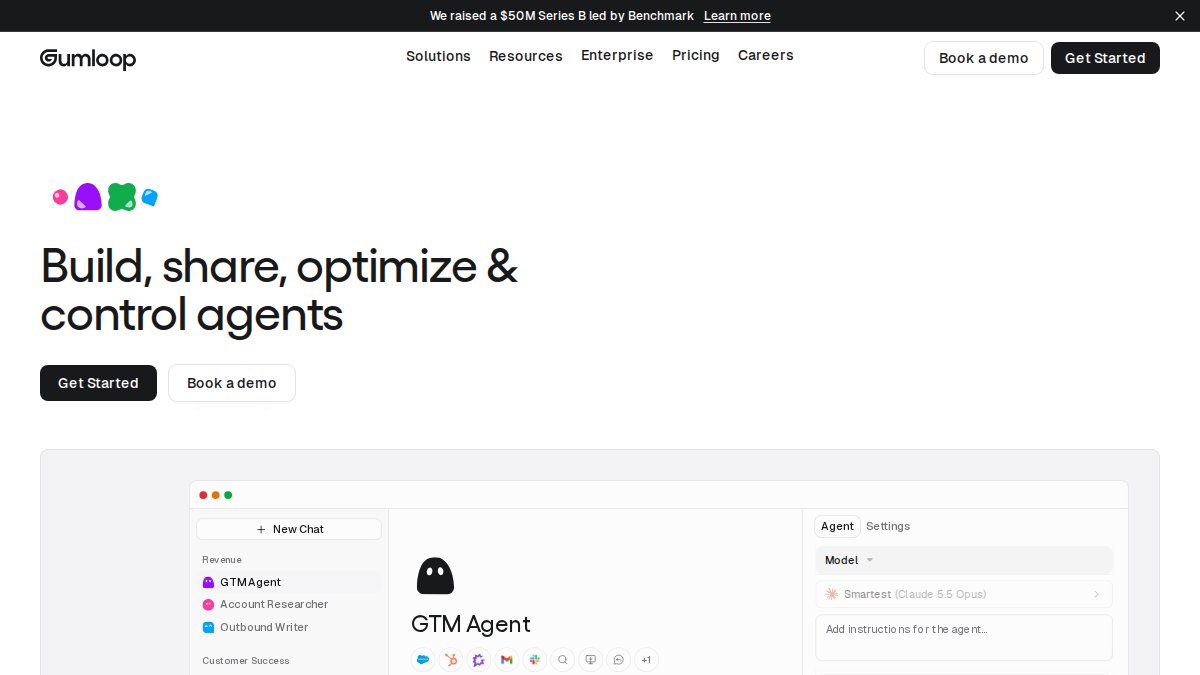
To get pricing for automated workflow tool options is rarely as simple as reading a number off a page. Most vendors publish a headline rate, then layer usage limits, seat counts and overage charges on top. According to Gartner's research on software cost optimisation, a large share of organisations underestimate their total automation spend because they budget for the subscription and forget the surrounding costs. This guide from Certant breaks down how the main pricing models actually work, what the hidden costs look like, and how to work out which tool deserves your budget in 2026.

Here is the short version before we dig in:
| Tool | Free Tier | Entry Price | Pricing Model | Best For |
|---|---|---|---|---|
| Certant | Yes | See pricing page | Platform licence | Regulated, document-heavy workflows |
The table gives you the shape of the market. The detail is where budgets go wrong, so let's work through each model properly.
Workflow Automation Pricing Models Explained
Workflow automation pricing models fall into three broad families: per-user, per-workflow or per-execution, and consumption-based. Each one shifts risk between you and the vendor in a different way, and the model matters more than the headline number.
Per-User, Per-Workflow, and Consumption Pricing
Per-user pricing charges a flat rate for each person who logs in. It is predictable, which finance teams like, but it punishes organisations where only a few staff need access to a workflow that serves hundreds of people.
Per-workflow or per-execution pricing charges for each run of an automation. Some tools lean this way. Costs stay low when volume is low, then climb as adoption spreads.
Consumption pricing charges for the resources a workflow uses: AI credits, document pages processed, or model calls. Some credit models are good examples. This is the hardest to forecast because a single complex document can consume far more than a simple one.
Which Model Fits Which Organisation
Match the model to how your work actually behaves:
- Steady, high-volume processes: per-user pricing usually wins, because volume does not change the bill.
- Spiky or seasonal work: per-execution pricing keeps you from paying for idle capacity.
- Document-heavy, AI-intensive work: consumption pricing is fairest, but only if you can estimate pages or credits per case.
- Regulated workflows needing audit trails: a platform licence that covers governance features is usually cheaper than bolting compliance onto a usage-based tool.
Certant: Verifiable Automation for Regulated Workflows
Certant is a platform that transforms fragmented documents, data and processes into an intelligent knowledge graph, built specifically for highly regulated industries. For compliance officers, operations directors and knowledge managers, that focus changes what you are actually paying for: not raw automation volume, but answers you can defend to an auditor.
Where Certant's Pricing Approach Stands Out
Certant offers a free tier and publishes its pricing on its own pricing page, so you can see where you sit before committing. The platform builds a live knowledge graph from your internal documents, provides verifiable answers with citations to source paragraphs, and supports sovereign, air-gap-capable and on-premises deployments.
That last point matters commercially. Air-gapped and on-premises options are part of the platform's design, which means the governance features you need are not priced as a separate tier.
Certant also runs a no-install, low-risk implementation process. It is compatible with AWS Bedrock, Azure AI, GCP Vertex and local GPUs, so you are not locked into one cloud provider's billing. For a mid-sized firm worried about paying for enterprise features it will never use, the free tier is a genuine starting point.
If your team spends hours reviewing each agreement manually, the automatic risk flags on incoming contracts are the feature to price against. Certant has worked with Integr8tiv, and its platform is IRAP-aligned, CPS 230 compliant and APP 8 compliant.
n8n: Developer-Led Automation with Predictable Costs
The trade-off is real. n8n has a steeper learning curve than no-code alternatives, and self-hosting means someone on your team owns upgrades, backups and security. If you do not have that person, the "cheap" option gets expensive quickly.
Make: Visual Automation for Mixed SaaS Stacks
It is a strong choice for teams automating a handful of well-understood processes. It is a poor fit for anyone who needs a fixed annual figure three years out.
Lindy and Gumloop: AI Agents and Document-Heavy Workflows
Both are consumption-sensitive. Lindy's seat-based model is predictable per person but climbs with headcount. Gumloop's credit model rewards teams that can estimate pages and documents per case, and penalises those that cannot.
The Hidden Costs of Automation Software
The hidden costs of automation software usually exceed the subscription itself. Industry guidance from McKinsey on the total cost of technology ownership consistently shows that implementation and change management outweigh licence fees in the first year.
Budget for these, and the subscription becomes a smaller line item than you expected:
- Implementation and integration: connecting legacy systems, mapping fields, and cleaning source data.
- Training and change management: staff need time to learn a new system, and that time has a cost.
- Ongoing administration: someone owns upgrades, permissions and monitoring.
- Overage and true-up charges: usage-based tools bill for the busy month, not the average one.
- Governance and audit: proving how a system reached an answer often requires features on a higher tier.
How to Calculate Enterprise Workflow Automation ROI
Enterprise workflow automation ROI is the value of time recovered and errors avoided, divided by the full cost of ownership. The formula is simple; the inputs are where teams guess rather than measure.
Start with your current cost per process. If a contracts team spends four to five hours reviewing each agreement, multiply those hours by a loaded hourly rate, then by monthly volume. That is your baseline.
Next, estimate the recovery honestly. A tool that cuts review time substantially still leaves human sign-off, exception handling and quality checks. Assume the tool handles the routine cases and your specialists handle the rest.
Then subtract total cost of ownership, not just the licence:
- Licence or platform fee at your peak volume
- Implementation and integration, one-off
- Training, one-off
- Administration, ongoing
- Overage exposure, worst case
If the recovered time does not exceed the total cost within a reasonable payback window, the automation is a hobby, not an investment.
Which Tool Should You Get Pricing For?
The right tool depends on what you are automating and who has to defend the result. Here is a decision framework:
- Regulated, document-heavy workflows with audit requirements: Certant. Verifiable answers with citations, sovereign deployment options and a free tier to test with.
- Technical teams with infrastructure skills: Consider tools that allow self-hosting to keep costs flat and data in your control.
- Mixed SaaS stacks with modest volume: Look for intuitive tools that are affordable at small scale, but be aware that forecasting costs can be harder at large scale.
- Administrative tasks for non-technical staff: Explore tools with a low barrier to entry, though these may have a higher starting price.
- Document processing and data extraction at scale: Consider purpose-built, credit-based tools, but ensure you can estimate volume.
A useful rule: if an auditor, regulator or board will ask how a decision was reached, price the governance features first and the automation second. Everything else is a commodity.
Conclusion
The hardest part of trying to get pricing for automated workflow tool options is not finding a number, it is forecasting the number you will actually pay at your busiest month. Start with the free tier, measure one real process end to end, and build the business case on total cost rather than the headline rate.
Frequently Asked Questions
What factors influence the cost of enterprise workflow automation?
The main drivers are user count, workflow volume, integration complexity, and deployment model. A tool that connects two cloud apps costs far less to run than one unifying documents from SharePoint, a legacy case management platform, and on-premisessss storage. Sovereign or air-gapped deployments add infrastructure cost but remove some cloud fees. Pricing depends on quantity, dates, and delivery, so check each vendor's pricing page for current figures rather than relying on older comparisons.
Do workflow automation tools charge per user or per workflow?
It varies, and the distinction matters more than the headline rate. Per-user pricing suits tools where every employee queries the system, such as policy chatbots. Per-workflow or per-execution pricing suits document-heavy processes where a few workflows run thousands of times. Some platforms, including Certant, publish pricing on their website, while others quote per deal. Model the two structures against your actual usage before deciding which is cheaper for your firm.
How do I calculate the ROI of an automated workflow tool?
Start with the hours your team spends on the task today. A contracts team manually reviewing each agreement for four to five hours is the clearest baseline. Multiply those hours by a loaded hourly rate, then compare against licence cost plus implementation effort. Add indirect gains: fewer bottlenecks, faster response times, and audit trails that reduce compliance preparation. Enterprise workflow automation ROI is strongest where the task is repetitive, document-heavy, and currently done by skilled staff.
Are there hidden costs in enterprise automation software?
Common ones include overage charges when execution volume exceeds your tier, integration work for legacy systems, staff training, and specialist support retainers. The hidden costs of automation software often exceed the subscription itself in year one. Ask vendors directly about execution limits, what happens when you exceed them, and whether implementation is included. Certant's no-install process and free plan let you test the workflow before committing to a full rollout.
How does data integration complexity affect software pricing?
Every additional data source adds mapping, permissions, and maintenance work. A tool pulling from one system is cheap to connect; one unifying three or four systems, including on-premisessss records, needs more configuration and often a higher tier. This is why platforms built around a knowledge graph, such as Certant, price differently from simple app connectors. Fewer integration points means lower ongoing cost, so consolidate sources where you can before signing a contract.
Most teams underestimate what automation costs once integration, training and governance are counted. Certant is built to close that gap: it publishes its pricing, offers a free tier to start with, provides verifiable answers with citations to source paragraphs, and supports sovereign, air-gap-capable and on-premise deployments for regulated environments. Get started with Certant and see your real cost before you commit.
Frequently asked questions
What factors influence the cost of enterprise workflow automation?
The main drivers are user count, workflow volume, integration complexity, and deployment model. A tool that connects two cloud apps costs far less to run than one unifying documents from SharePoint, a legacy case management platform, and on-premisessss storage. Sovereign or air-gapped deployments add infrastructure cost but remove some cloud fees. Pricing depends on quantity, dates, and delivery, so check each vendor's pricing page for current figures rather than relying on older comparisons.
Do workflow automation tools charge per user or per workflow?
It varies, and the distinction matters more than the headline rate. Per-user pricing suits tools where every employee queries the system, such as policy chatbots. Per-workflow or per-execution pricing suits document-heavy processes where a few workflows run thousands of times. Some platforms, including Certant, publish pricing on their website, while others quote per deal. Model the two structures against your actual usage before deciding which is cheaper for your firm.
How do I calculate the ROI of an automated workflow tool?
Start with the hours your team spends on the task today. A contracts team manually reviewing each agreement for four to five hours is the clearest baseline. Multiply those hours by a loaded hourly rate, then compare against licence cost plus implementation effort. Add indirect gains: fewer bottlenecks, faster response times, and audit trails that reduce compliance preparation. Enterprise workflow automation ROI is strongest where the task is repetitive, document-heavy, and currently done by skilled staff.
Are there hidden costs in enterprise automation software?
Common ones include overage charges when execution volume exceeds your tier, integration work for legacy systems, staff training, and specialist support retainers. The hidden costs of automation software often exceed the subscription itself in year one. Ask vendors directly about execution limits, what happens when you exceed them, and whether implementation is included. Certant's no-install process and free plan let you test the workflow before committing to a full rollout.
How does data integration complexity affect software pricing?
Every additional data source adds mapping, permissions, and maintenance work. A tool pulling from one system is cheap to connect; one unifying three or four systems, including on-premisessss records, needs more configuration and often a higher tier. This is why platforms built around a knowledge graph, such as Certant, price differently from simple app connectors. Fewer integration points means lower ongoing cost, so consolidate sources where you can before signing a contract.