Best Glean Alternatives for Enterprise Knowledge in 2026
Compare the best Glean alternatives for enterprise knowledge in 2026, from open-source search to verifiable knowledge graphs for regulated industries.
Table of Contents
- Why Teams Look for Glean Alternatives
- Quick Comparison: Glean Alternatives at a Glance
- Certant: Verifiable Answers for Regulated Enterprises
- GoSearch: Unified Search Across SaaS Tools
- Onyx: Open-Source Search You Can Self-Host
- Dust: Custom AI Agents Beyond Simple Search
- Guru: Knowledge in the Flow of Work
- Coveo: Enterprise Search at Scale
- Coworker.ai: Fast Deployment for Mid-Sized Teams
- Microsoft Copilot: The Microsoft 365 Native Option
- Elasticsearch: The Build-It-Yourself Foundation
- Langdock: Custom AI Assistants with Privacy First
- How These Tools Fit an Enterprise Knowledge Management Strategy
- Frequently Asked Questions
Last Updated: October 1, 2026
Why Teams Look for Glean Alternatives
Enterprise search platforms promise a single door into every document, wiki and database a company owns. The reality is messier. Many organisations find that a tool which works well for one department stalls in another, and teams handling regulated work often discover that confident-sounding answers cannot be traced back to a source paragraph. That gap between a polished demo and an auditable answer is the reason so many knowledge and compliance teams start hunting for Glean alternatives.
At Certant, we build knowledge systems for regulated industries, so we see this problem from the inside. The pattern is consistent: a search tool gets adopted, usage looks healthy for a quarter, then the audit trail question arrives and nobody can answer it.
What actually drives the switch is rarely price alone. It is usually one of four things: answers that cannot be verified, deployment models that rule out sovereign or air-gapped infrastructure, coverage gaps across the data estate, or an implementation burden the IT team cannot absorb.
Below, we compare options across those criteria. The comparison table further down summarises which tool suits which situation.
Quick Comparison: Glean Alternatives at a Glance
The best Glean alternative depends on whether your priority is verifiable answers, self-hosting, breadth of integrations or speed of deployment. Certant suits regulated enterprises that need citations and sovereign deployment. Onyx suits technical teams that want to self-host. Coworker.ai suits mid-sized teams that need something live quickly.

| Tool | Deployment | Best For | Free Tier |
|---|---|---|---|
| Certant | Sovereign, on-premise, air-gapped | Regulated enterprises needing citations | Yes |
| GoSearch | Cloud | Consolidating SaaS search | No |
| Onyx | Self-hosted, open source | Technical teams wanting control | Yes |
| Dust | Cloud | Custom AI agents | No |
| Guru | Cloud | Support and sales teams | Yes |
| Coveo | Cloud | Large-scale search volumes | No |
| Coworker.ai | Cloud | Mid-sized teams, fast rollout | No |
| Microsoft Copilot | Cloud | Microsoft 365 estates | No |
| Elasticsearch | Self-hosted or cloud | Build-your-own search | Yes |
| Langdock | Cloud | Privacy-first custom assistants | No |
Certant: Verifiable Answers for Regulated Enterprises
Certant is a platform that transforms fragmented documents, data and processes into an intelligent knowledge graph, built specifically for highly regulated industries. Every answer carries a citation back to the source paragraph, which is the difference between a tool an auditor accepts and one they do not.
The deployment options matter just as much. Certant supports sovereign, air-gap-capable and on-premises setups, and works with AWS Bedrock, Azure AI, GCP Vertex or local GPUs. For a financial services firm that cannot send payroll data to an outside cloud service, that removes the blocker that ruled out AI tools entirely.
Implementation is deliberately low-risk. There is no install, and the platform builds its knowledge graph from documents already sitting in SharePoint, case management systems and shared drives. One customer put it plainly: "Nobody could find anything in SharePoint, so they emailed me instead. Now they ask Certant and get the answer along with the page it came from."
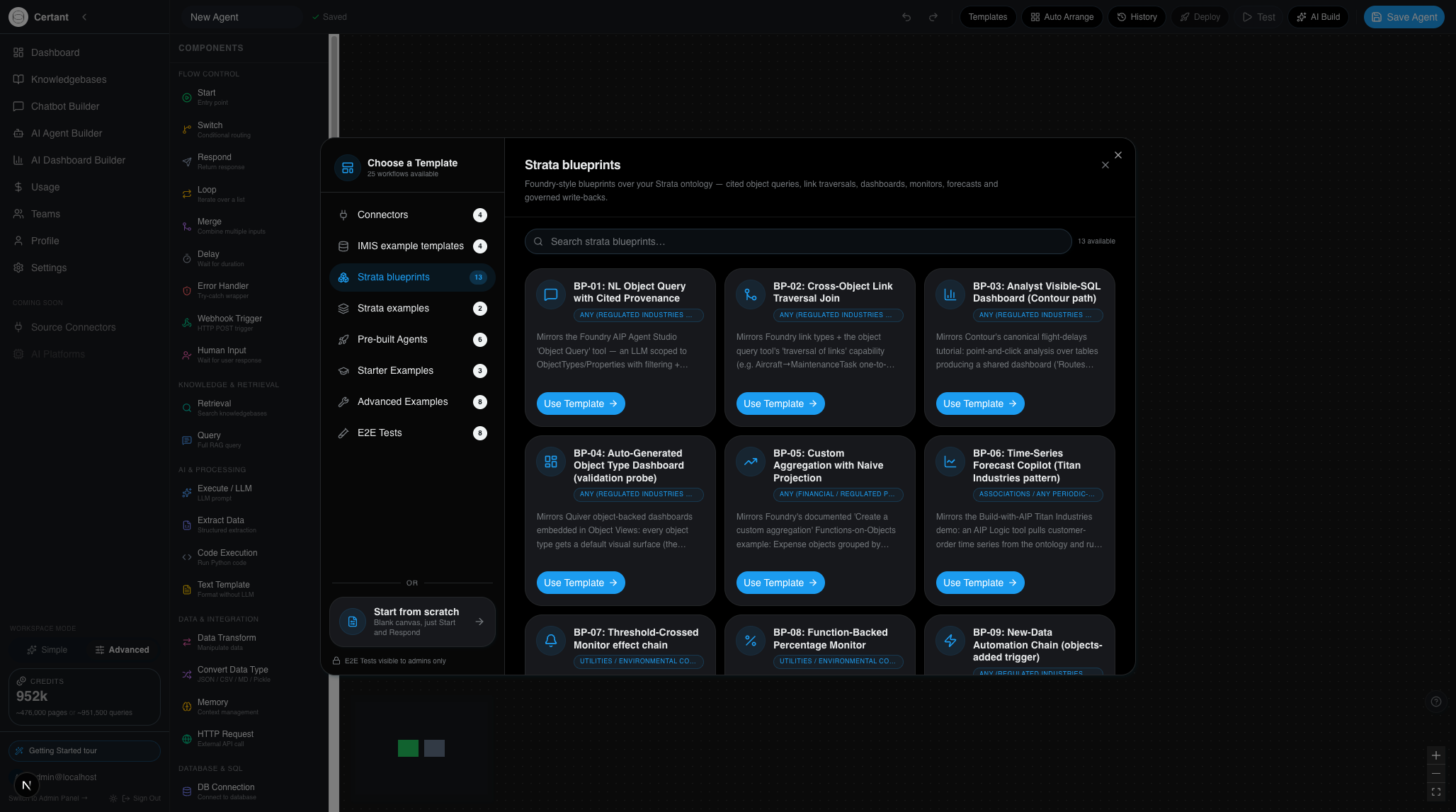
The automation layer extends beyond search. Drag-and-drop AI agents handle recurring work such as turning call transcripts into CRM notes, flagging invoices that exceed a delegation limit, and raising risk flags on incoming contracts. Certant is IRAP-aligned, CPS 230 compliant and APP 8 compliant.
Pros and Cons
Pros:
- Verifiable answers with citations to source paragraphs
- Sovereign, air-gap-capable and on-premises deployment
- Live knowledge graph built from existing internal documents
- No-install, low-risk implementation
- Automatic risk flags on incoming contracts
Cons:
- Built for regulated and document-heavy organisations, so lighter use cases may not justify it
- Knowledge graph quality depends on the state of the underlying source documents
GoSearch: Unified Search Across SaaS Tools
GoSearch positions itself as a single searchable interface across fragmented company data.
Permission management is granular, which matters when search results span tools with different access rules. Answer generation is AI-driven, though the platform does not emphasise source-level citations in the way regulated buyers tend to require.
The one drawback worth flagging is pricing transparency. GoSearch does not publish a public pricing model.
Pros and Cons
Pros:
- Strong integration ecosystem across enterprise SaaS
- Cuts time spent hunting for internal documents
- Granular permission management
Cons:
- No public pricing
- Less emphasis on verifiable citations than regulated buyers need
Onyx: Open-Source Search You Can Self-Host
Onyx is an open-source enterprise search and knowledge retrieval platform that teams can self-host.
Connectors cover the common enterprise data sources, and the open-source architecture allows deep customisation.
The trade-off is real. Self-hosting means someone owns upgrades, scaling, connector maintenance and security patching. Without a dedicated team, that maintenance quietly becomes a second job.
Pros and Cons
Pros:
- Flexibility and customisation
Cons:
- Requires technical expertise to deploy and maintain
- Ongoing maintenance burden falls on your own team
Dust: Custom AI Agents Beyond Simple Search
Dust takes a different angle: instead of search alone, it provides customisable AI agents that perform tasks across enterprise knowledge and workflows.
Integration with major communication and productivity tools is solid, and agent behaviour is genuinely customisable.
Configuration takes time, though. Agents that perform well are the ones someone has tuned, and that tuning is not automatic.
Pros and Cons
Pros:
- No-code setup
- Highly customisable agent behaviour
- Integrates with common productivity tools
Cons:
- Agents need configuration time before they perform well
- Less suited to pure document retrieval at scale
Guru: Knowledge in the Flow of Work
Guru's premise is that knowledge should arrive where the work happens, not in a separate portal. Its browser extension surfaces verified information directly inside Slack, Microsoft Teams and the browser.
Content verification is a feature. Guru actively prompts subject matter experts to confirm that cards are still accurate.
Cost scales with seats, and teams report that it becomes expensive as headcount grows. It is also more of a curated knowledge layer than a search engine over your entire document estate.
Pros and Cons
Pros:
- Workflow integration
- Focus on content accuracy and verification
- Adoption for support and sales teams
Cons:
- Costs climb as the team scales
- Curated knowledge rather than full-document search
Coveo: Enterprise Search at Scale
Coveo is built for volume. Its machine learning layer tunes relevance across large, complex data environments.
Analytics are a strength. Coveo reports on search behaviour and content gaps, which tells you what people looked for and failed to find.
Build a brain for your business →
The learning curve is steep. Implementation is a project, not a setup task, and it suits organisations with the resources to run it properly.
Pros and Cons
Pros:
- Scales to large search volumes
- Personalisation and relevance tuning
- Analytics on search behaviour
Cons:
- Steep implementation learning curve
- Better suited to large enterprises than smaller teams
Coworker.ai: Fast Deployment for Mid-Sized Teams
Coworker.ai connects to more than 50 enterprise tools and aims to be live quickly.
Transparent per-user pricing is an advantage. Buyers can model cost against headcount before committing.
Customisation is limited compared with open-source options. Teams with unusual data structures or strict deployment requirements will hit that ceiling.
Pros and Cons
Pros:
- Transparent per-user pricing
- Integration support across 50+ tools
Cons:
- Limited customisation versus open-source alternatives
- Cloud-only deployment
Microsoft Copilot: The Microsoft 365 Native Option
Microsoft Copilot retrieves information across the Microsoft Graph and works inside Word, Excel, Outlook and Teams without a separate interface.
Security and data governance inherit from the Microsoft estate, which satisfies many compliance teams without extra work. If your documents live in SharePoint and OneDrive, Copilot reaches them.
Its limitation is scope. Copilot has limited utility for data outside the Microsoft ecosystem, so organisations with substantial knowledge in non-Microsoft systems will find coverage gaps.
Pros and Cons
Pros:
- Integration with existing Microsoft workflows
- Security and compliance
- No separate interface to learn
Cons:
- Limited utility for non-Microsoft data sources
- Requires an existing Microsoft 365 investment to make sense
Elasticsearch: The Build-It-Yourself Foundation
Elasticsearch is a search and analytics engine rather than a finished knowledge product. Engineering teams use it directly to build custom internal search applications.
Performance on full-text search is industry-standard, the API is extensive, and the architecture scales to very large datasets.
What it does not offer is an out-of-the-box answer engine. Everything from connectors to relevance tuning to user interface is your build, and that is a substantial project.
Pros and Cons
Pros:
- Search performance
- API for custom development
- Scales to large datasets
Cons:
- Requires significant development effort
- No ready-made knowledge assistant or citation layer
Langdock: Custom AI Assistants with Privacy First
Langdock lets enterprises build and deploy custom AI assistants on top of internal knowledge bases, with data privacy as the organising principle.
For companies that want custom AI tools without sending data to a general-purpose model provider, Langdock addresses that concern directly.
The feature set is narrower than a full search platform. If your requirement is comprehensive retrieval across the whole document estate, Langdock covers less ground.
Pros and Cons
Pros:
- Focus on security and privacy
- Manage custom AI assistants
- Connects to internal documentation and wikis
Cons:
- Narrower feature set than full-scale search platforms
- Retrieval coverage
How These Tools Fit an Enterprise Knowledge Management Strategy
An enterprise knowledge management strategy is the plan for how an organisation captures, verifies and delivers internal knowledge so that staff can act on it. Tool selection is one part of that plan; governance is the other, and it is the part teams skip.
The mistake we see most often is choosing a tool before defining what a correct answer looks like. A support team may accept a plausible summary. A compliance officer cannot. If your organisation includes both, the stricter requirement should set the bar, because retrofitting citations onto a system that was never built for them is expensive.
Start with these questions:
- Can every answer be traced to a specific source paragraph?
- Does the deployment model satisfy your regulator's requirements?
- Does coverage span every system where knowledge actually lives?
- Who owns accuracy once the system is live?
- What happens when a source document changes?
That last question separates tools that stay useful from tools that quietly rot. A knowledge graph that updates when a policy is revised behaves very differently from a static index built once at implementation.
For regulated organisations, the pattern that holds up is a verifiable knowledge graph with citations, deployed where your data is allowed to sit, feeding both search and automated workflows. Certant was built for exactly that combination, and the free tier is a low-risk way to test it against your own questions. Start free and see whether the answers hold up under audit conditions.
Frequently Asked Questions
What are the main limitations of Glean that make teams look for alternatives?
The most common complaints are a lack of transparent pricing, deployment that assumes a cloud-first environment, and answers that are hard to audit. Teams in regulated sectors need to show auditors exactly which document and paragraph an answer came from. Glean alternatives such as Certant address this by citing source paragraphs and supporting sovereign, air-gapped or on-premisess deployment, which matters when payroll or contract data cannot leave your own servers.
How do enterprise search platforms differ from traditional knowledge management systems?
Traditional systems store documents and rely on people to file and find them. Enterprise search platforms index content across tools and return answers rather than links. The stronger options go further and build a knowledge graph from your documents, so a query about a leave policy returns the current clause with a citation instead of three outdated wiki pages. That shift from storing to answering is what makes a coherent enterprise knowledge management strategy possible.
Which Glean alternatives suit highly regulated industries?
Look for verifiable answers with citations, on-premisess or air-gapped deployment, and alignment with the standards your regulator applies. Certant is built for this: it cites the source paragraph behind every answer, runs on your own infrastructure or a sovereign cloud, and is IRAP-aligned, CPS 230 compliant and APP 8 compliant. Open-source options such as Onyx can also work if your team has the technical capacity to run and maintain them.
Can open-source alternatives compete with proprietary enterprise search tools?
For search and retrieval, yes. Onyx and Elasticsearch handle indexing and connectors well. The gap appears in governance: open-source stacks rarely ship with built-in citation trails, permission-aware answer generation or compliance alignment out of the box. You either build those yourself or pair the search layer with a platform that provides them.
What should organisations look for when choosing an enterprise knowledge graph?
Four things decide most purchases. First, can it unify disparate enterprise data from SharePoint, case management systems and shared drives without a lengthy integration project? Second, does every answer cite its source? Third, can it run where your data has to stay? Fourth, how much effort does implementation take from a stretched IT team? Certant's no-install process and free tier let you test the first three before committing budget.
Frequently asked questions
What are the main limitations of Glean that make teams look for alternatives?
The most common complaints are a lack of transparent pricing, deployment that assumes a cloud-first environment, and answers that are hard to audit. Teams in regulated sectors need to show auditors exactly which document and paragraph an answer came from. Glean alternatives such as Certant address this by citing source paragraphs and supporting sovereign, air-gapped or on-premisess deployment, which matters when payroll or contract data cannot leave your own servers.
How do enterprise search platforms differ from traditional knowledge management systems?
Traditional systems store documents and rely on people to file and find them. Enterprise search platforms index content across tools and return answers rather than links. The stronger options go further and build a knowledge graph from your documents, so a query about a leave policy returns the current clause with a citation instead of three outdated wiki pages. That shift from storing to answering is what makes a coherent enterprise knowledge management strategy possible.
Which Glean alternatives suit highly regulated industries?
Look for verifiable answers with citations, on-premisess or air-gapped deployment, and alignment with the standards your regulator applies. Certant is built for this: it cites the source paragraph behind every answer, runs on your own infrastructure or a sovereign cloud, and is IRAP-aligned, CPS 230 compliant and APP 8 compliant. Open-source options such as Onyx can also work if your team has the technical capacity to run and maintain them.
Can open-source alternatives compete with proprietary enterprise search tools?
For search and retrieval, yes. Onyx and Elasticsearch handle indexing and connectors well. The gap appears in governance: open-source stacks rarely ship with built-in citation trails, permission-aware answer generation or compliance alignment out of the box. You either build those yourself or pair the search layer with a platform that provides them.
What should organisations look for when choosing an enterprise knowledge graph?
Four things decide most purchases. First, can it unify disparate enterprise data from SharePoint, case management systems and shared drives without a lengthy integration project? Second, does every answer cite its source? Third, can it run where your data has to stay? Fourth, how much effort does implementation take from a stretched IT team? Certant's no-install process and free tier let you test the first three before committing budget.